





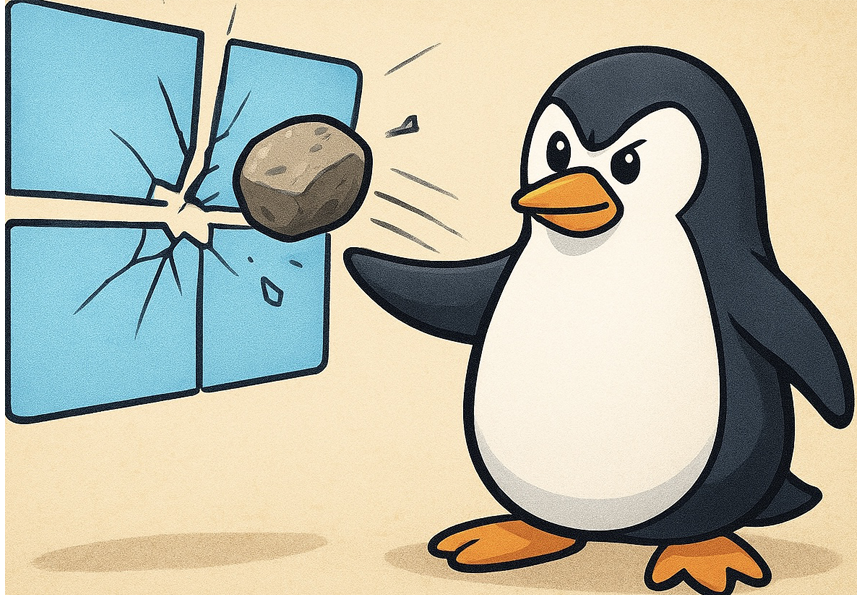
Windows 11 Sucks
Since Windows 10 support died in October of 2025, one theme of video has appeared over and over again in everyone’s video feeds: “I Switched to Linux.” These videos are rife with so many reasons why Windows 11 gets a bad rap in an attempt to convince you to completely change how you use your computer. They use talking points like, “Windows violates your privacy,” and “Your data is at risk.” Some even claim, “Windows update is predatory and you can’t override when it happens anymore.” Then, they tell you about their favorite Linux distro and how it does NONE of that.
As AI chat bots would say, here’s the cold hard truth. No fluff. No embellishment.
YOU SHOULD ABSOLUTELY LISTEN TO THESE PEOPLE!
Time and time again, Microsoft does something with Windows that takes ownership of your own computer and data away from you. Your identity, your peace of mind stripped away layer by layer because Microsoft is banking on you being so used to Windows that you won’t know what they’re doing to you under the hood.
So, to upgrade to or maintain Windows 11, Microsoft wants you to have a bunch of new hardware. Your computer may be technologically strong enough to handle this monster of an operating system, but it’s not enough. You may have a build from as early as 2011 that still purrs like a kitten, but Microsoft wants you to throw a perfectly good gaming rig away and get what they tell you to get. What are your options if you don’t want to go that route and throw your machine in the dumpster?
MacOS. Okay, but barrier to entry is too high. Plus, you’ll be throwing your machine away, anyway. Half of your games won’t even run on it. If you’re not a MacOS or iOS developer, it’s near useless to you. Python works, sure. But just barely. Even with Visual Studio Code it’s a nightmare to get working smoothly. Plus, throwing your rig in the trash was never an option to begin with.
What else is there?
Introducing: Linux
Maybe you’ve heard about it. It’s the operating system you thought only know it alls or computer scientists use. It’s so niche that nothing you use will work on it. Games? Forget it! Nightmares with GPUs hit the news and now you’re going to keep it at least one light year’s distance from you. That terminal is for the birds! All of those commands you need to know, just to get the thing to run. And….
Yea, I’ve heard all of those excuses. I’ve said them before. But, I’ve always been interested in switching to Linux. I’ve been daily driving a version of it for roughly year and change now. I must say, in a lengthy, blog post sort of way, today’s iteration is none of the above.
Since Windows 10’s end of life, more and more people are hitting YouTube to see what this Linux thing is all about. While it’s still got a single digit install base, it’s growing and fast. The more Microsoft fumbles the ball with Windows 11, the more people seem to be changing to Linux. The numbers keep growing like bamboo.
“Wait. Wait a minute here! What’s this thing I just saw about Wayland not working with NVidia GPUs?! This looks too complicated…”
I am happy to say that this isn’t something you need to worry about. At least, not right away. Not unless you’re a gamer. For those of you looking for alternatives to Windows that don’t require you to get a new computer, things like Wayland versus X11 have absolutely no meaning for you. That’s a good thing because Linux still has you covered.
This piece is aimed at everyone looking to make the switch. I’ll give you a list of distros for every need you may have, if I can. I’ll give you the lowdown on what’s good and not so great, then give you my recommendation. If it fits your use case then it may be the right distro for you.
Let’s get into it.
Linux for the Working Man (and Woman)
Gamers, scroll down some. This section is for the daily driver. This person uses web based services like Microsoft Teams/SharePoint, Google Office Suites and so on. This individual uses MS Office to create presentations and PDF files for reports. They’re the security guard who needs to keep a log. The financier who simply keeps track of trends, all online.
They just don’t want their own computer sending their data to Microsoft to train its AI.
Well, there are Linux distros just for you. Each of these come with some tools that are absolutely free. You even have a choice of what to install through the distro’s App Store. You don’t need to know what package repository you have to access or what sudo means. You can continue to use your web based suites and services without interruption to your daily work. Or, install some local options if they’re not already bundled in.
- Libre Office – a competent MS Office replacement. I recommend WPS Office, personally. It’s more familiar and compatible with how you worked with MS Word than Libre
- GIMP – A Photoshop alternative. Has a steep learning curve. I recommend the web based Photopea. It’s a Photoshop clone and most hotkeys work as well
- KDENLive – has some freemium features but overall completely free and open source. If you need video editing, this is as powerful as Adobe Premiere and Apple FinalCut Pro. Worth checking out
Almost every distro of Linux comes equipped with Mozilla Firefox or Google Chrome. You can easily install your favorite web browser – if you’re stuck on Microsoft, Microsoft Edge is also available in various app stores. The point being, you have so many applications for productivity. Plus, various MS products are compatible with Linux – sometimes you don’t even need them. Web based solutions are all around you, without your operating system violating your privacy every five seconds. Your productivity and workflow doesn’t have to change to have peace of mind and total system security.
Your Distros
For you, as a working professional or someone who just wants something to browse the internet with, the following distros of Linux are recommended for you.
- Zorin OS
- Mint
- Ubuntu
All three of these distros of Linux are beginner friendly. Each of them comes with an easy to install ISO file you can burn onto a USB thumb stick. After building your bootable USB drive, you can start your computer from it and try it out before committing to a full install. If you don’t like it, you can easily burn over it with another distro and see how that works out for you. Or, abandon it altogether and stick with Windows.
Each of them comes with an environment that seems familiar and usable.
ZORIN OS is probably the easiest to use with the shortest learning curve. This freemium OS allows you to choose whatever desktop style you like, or are familiar with. Whether it be Windows or MacOS, you’re in control over how to use the interface. It’s heavy but not resource intensive, so you’ll have more power to work. Installation is easy. This one is recommended for absolute beginners. It’s completely hands-free, meaning, you don’t need to even touch the terminal. Ever!
Mint is probably the most beginner friendly completely free distro out there. It ships by default with the Cinnamon desktop, which is very Windows 10-like in its design. Cinnamon is also highly customizable, if you’re feeling adventurous even as a beginner, which makes it malleable to your liking.
Mint runs most Linux apps out of the box. Unlike Zorin, the premium features you pay for are available, for free, with Mint. It doesn’t play games well, but if you’re a productivity warrior, gaming isn’t even on your radar. Its wide install base means that should you have a problem, the community will come to the rescue.
Ubuntu is, unfortunately, what everyone thinks of when they hear the word “Linux.” It’s the one distro that everyone goes for when looking for an entry. Ubuntu defaults to the GNOME (known as “nome” or “g’nome,” either one is fine) desktop. It may appear differently but is strikingly similar in basic behavior to MacOS. This makes Ubuntu generally easy to use with next to no learning curve.
I would not recommend any of these for professionals looking to do graphical work as part of their productivity. The conversation changes to a slightly more advanced level of Linux comprehension that would turn off beginners from making the switch. If your workflow includes office applications and browser-based suites, these distros are perfect for you.
I would recommend Mint of the three of these. It’s just lightweight enough to daily drive, safe, hardly any barriers to entry, and a good distro to learn the ins and outs of the operating system as a whole. It has all of the bells and whistles pro Zorin comes with for free, and is monumentally more stable than Ubuntu.
Linux for Gamers
When it comes to games, there are only two distros that I personally recommend. Oddly enough, their backbone is precisely the same, yet serve two totally different users.
Your Distros
Bazzite is a highly recognized dual-UI Linux distro designed for one thing in mind: Steam Games!
Based upon Red Hat’s Fedora Linux, Bazzite is designed to give users a SteamDeck experience. SteamOS is also Linux-based, but on a distro called Arch. Arch is not beginner friendly. The makers of Bazzite know this and decided to make their OS on top of Fedora.
What’s so special about Fedora?
I mentioned earlier that Fedora is owned and operated by Red Hat. Yes, that same Red Hat who, if you grew up in the 1990s, released all those big box Linux packages at your local Staples. Fedora is the free and open source version of Red Hat Linux. The advantage of this: Red Hat’s partnership with Nvidia.
Most Linux distros, including Arch, do not play well with Nvidia graphics cards. It usually requires a bunch of expert level troubleshooting that the casual user just doesn’t have the energy or time for. What Fedora offers is a user-friendly way to enable your Nvidia graphics card and have it play well with your Linux distro. Thus, the Bazzite team chose wisely. When it comes to gaming on Linux, you can’t beat the one distro that’s designed around gaming.
Fedora is the backbone that Bazzite was built on. While, yes, I would say to get Bazzite if all you do is play games, let’s face it, though: you’re not looking to do just one thing. You want and need the full package for graphics capabilities. You need a system that lets you work and play all in one set. You need a development environment as well as a gaming platform. You need an engineering tool to get everything done. Work hard and play harder.
That’s Fedora.
It comes with all the great things everyone raves about Linux for and then some. You get the best in Windows compatibility with the WINE layer. You get high graphical performance from your Nvidia GPU. You get the gaming surface with Steam and Proton-GE. You even get access to the same freemium packages as Red Hat RHEL users get, but you pay zero! Why? Because Fedora gets all of them before they’re released to paying customers.
Plus, you get all the great security and peace of mind. SELinux is an absolute hawk when it comes to account security and integrity. Ubuntu has similar security features but let’s face it: you’re either a gamer or developer. Ubuntu isn’t going to cut it for you. That’s where Fedora comes into play. She’s got all of everything you need to be productive and play all in one. My highest recommendation is going with Fedora for the full package.
Linux for Your Workstations
Let’s get down to it. You’re a business owner and you want to protect your assets from prying hackers. With the latest updates by Windows 11, the very people who you trusted to have the privilege of taking your hard earned money to buy licenses in bulk have become your enemy. Your data is uploaded to Microsoft. You are exposed to malicious ads integrated into your desktop as though you were watching cable TV and not using your computer. Your workstations are about half as productive due to slowdowns caused by Windows not playing nice with your security software. You’ve got web based apps on your system, plus some that have Linux install options. What’s keeping your workers on Windows?
Your Distros
While every distro offers a great workstation environment, only a few I will recommend will give you flawless administrative control, for free. That excludes Zorin since most of their administrative tools are locked behind a paywall. When thinking of a workstation OS, you need a full package like Windows. One master admin and all the user satellite accounts you need.
As the boss with little Linux experience, you’ll probably need a tutorial to get it all up and running. The learning curve is quite steep, but considering the alternative of continuing to use an operating system you can’t actually opt out of taking abuse from, it just might be worth the hassle. To that end, the best workstation Linux distro out there is Ubuntu any LTS (long term support) version will be great for you. Mint is also good but for this purpose Ubuntu gives you the most administrative freedom.
Concluding
When you consider everything that’s been happening with Microsoft Windows 11, one thing is abundantly clear: it’s high time for users to take back their computers. Use your PC how you need to, how you want to. Not how Microsoft dictates how you can use a machine you paid a lot of money for.
Heed the YouTube talking heads, this time: consider teat driving or switching to Linux!




Good way of explaining, and nice piece of writing to take data concerning my presentation topic,
which i am going to present in institution of higher education.